
On Thursday 5 November 2026, Toronto police officers went to a resident's home after the Edmonton Police Service told them a fraud was in progress. CP24 reported the police account the next day. Police said the victim almost lost $2.9 million. The steps, as police described them:
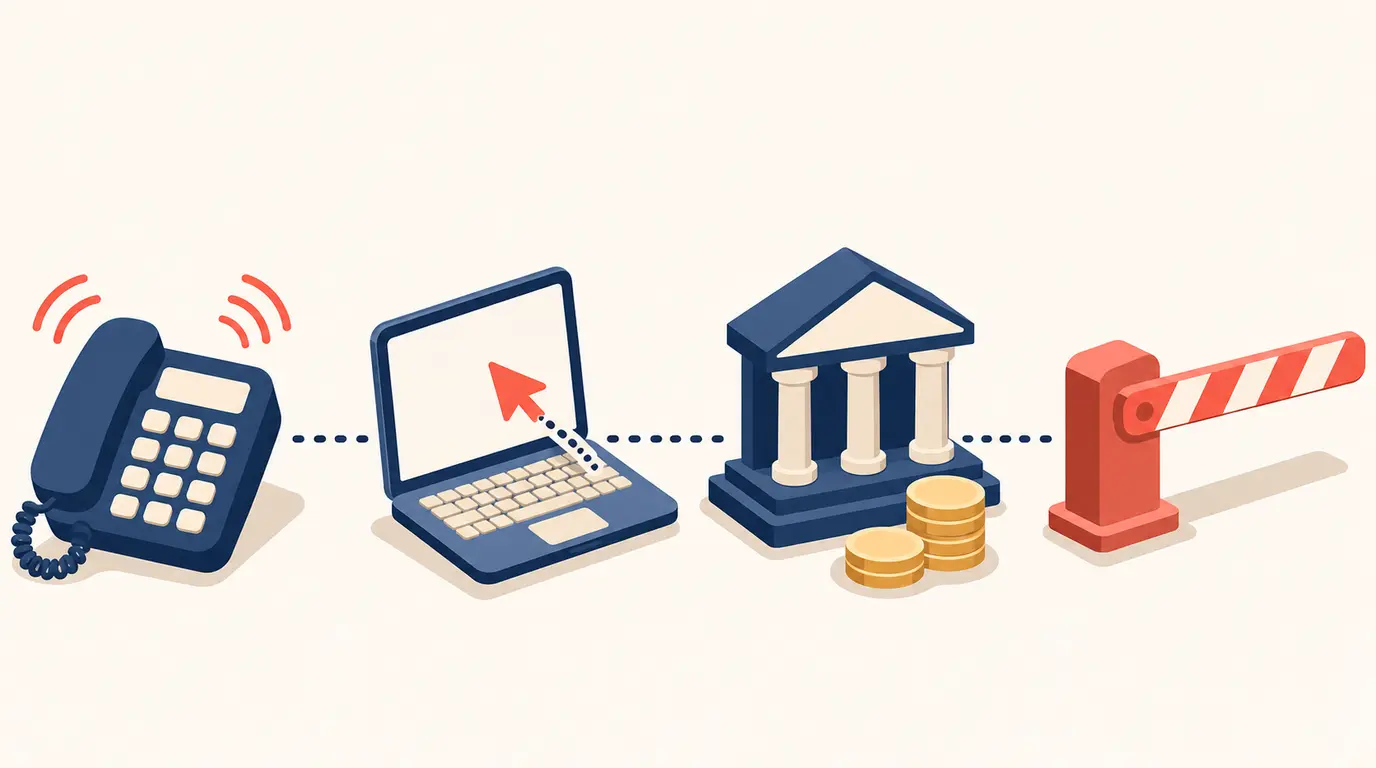
- A man called the victim and said he represented a major telecoms company.
- He said the company was improving services in the area and needed to get into the victim's computer to check the internet speed.
- He told the victim to install UltraViewer, an app that lets someone else see and control a computer from far away.
- Once he was in, he said the computer had viruses and other problems, and offered to remove them.
- He then told the victim to open online banking, "supposedly to check that no money had been withdrawn without authorization", in the police's words.
- Officers arrived while the victim was on a video call with him and he was getting into the online banking. They told the victim it was a scam and not to transfer money or approve any transaction. The suspects hung up when officers tried to speak to them.
Where you can still stop it
- Step 1: a call you did not expect from your phone or internet company is a reason to hang up and call the number on your bill.
- Step 3: police say never install remote-access software because an unexpected caller tells you to.
- Step 5: never open online banking while someone you do not trust has remote access to your computer.
- Any step: "You do not need to be certain a call is fraudulent before ending it," Toronto police said.
Source: CP24, citing Toronto Police Service, 6 November 2026
Read the original: cp24.com